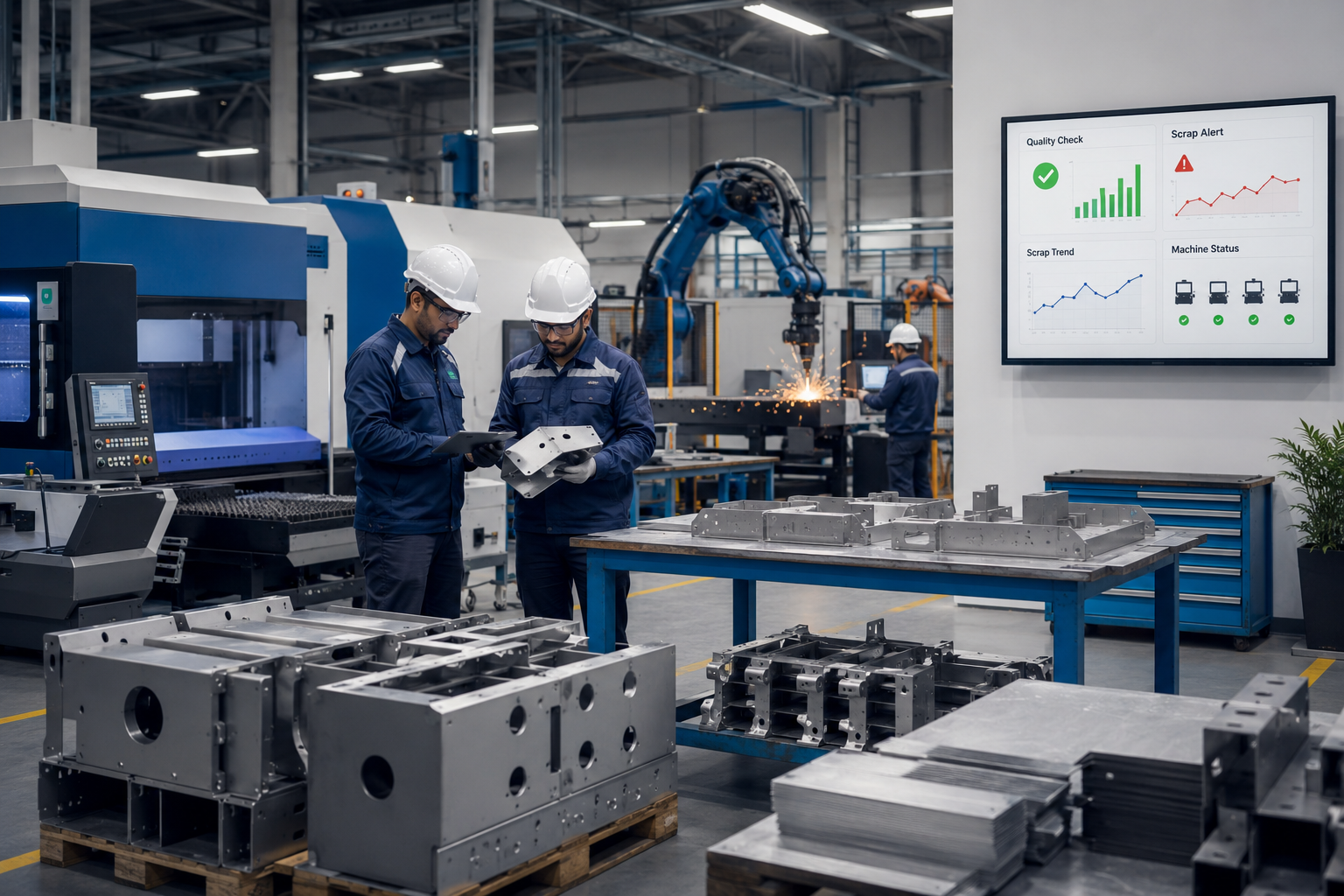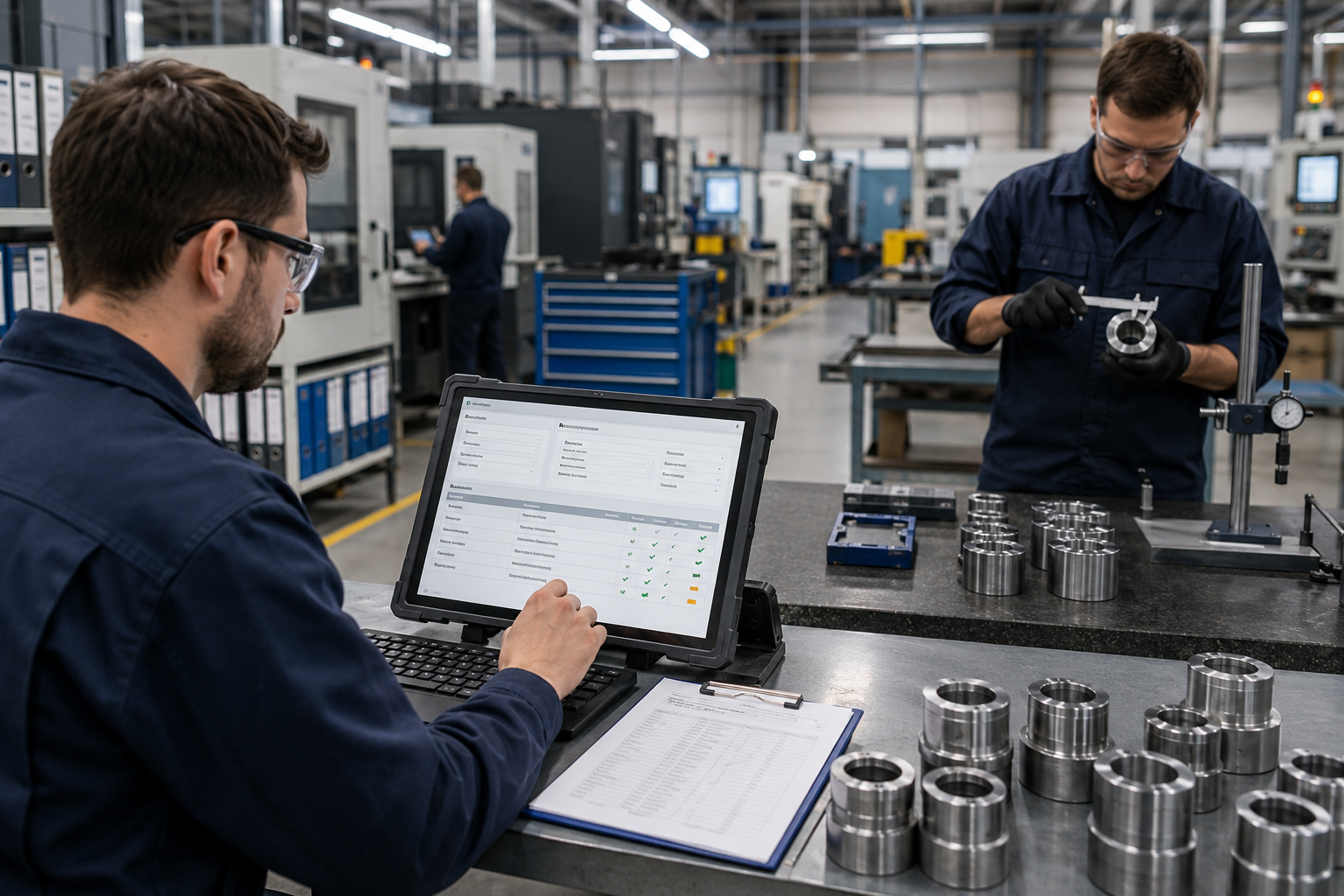


Quality teams in manufacturing work with inspection records, batch details, supplier reports, non-conformance reports, CAPA updates, calibration logs, and audit data every day. When teams enter this information manually across ERP, MES, QMS tools, spreadsheets, and emails, one small mistake can lead to wrong reports, delayed approvals, or extra rework.
For manufacturers in Canada, these errors can slow down quality checks, reporting, and audit preparation. Accurate quality data is not just paperwork. It helps teams make better production decisions, maintain compliance records, and improve customer confidence. Statistics Canada also highlights manufacturing as an important part of Canada’s economy, which makes operational accuracy and process efficiency even more important for businesses in this sector.
RPA can help when quality teams spend too much time copying, checking, and correcting the same data. In manufacturing quality management, RPA reduces data entry errors by automating repetitive tasks, validating records, and moving information between systems more consistently.
Where Data Entry Errors Happen in Manufacturing QMS Workflows
Most errors happen when quality teams move the same data between ERP, MES, QMS tools, spreadsheets, emails, and shared folders. These mistakes are usually not due to carelessness. They happen because teams work under time pressure, repeat the same steps often, and deal with different data formats.
Common areas where errors occur include inspection records, batch documentation, defect logs, supplier reports, and audit files.
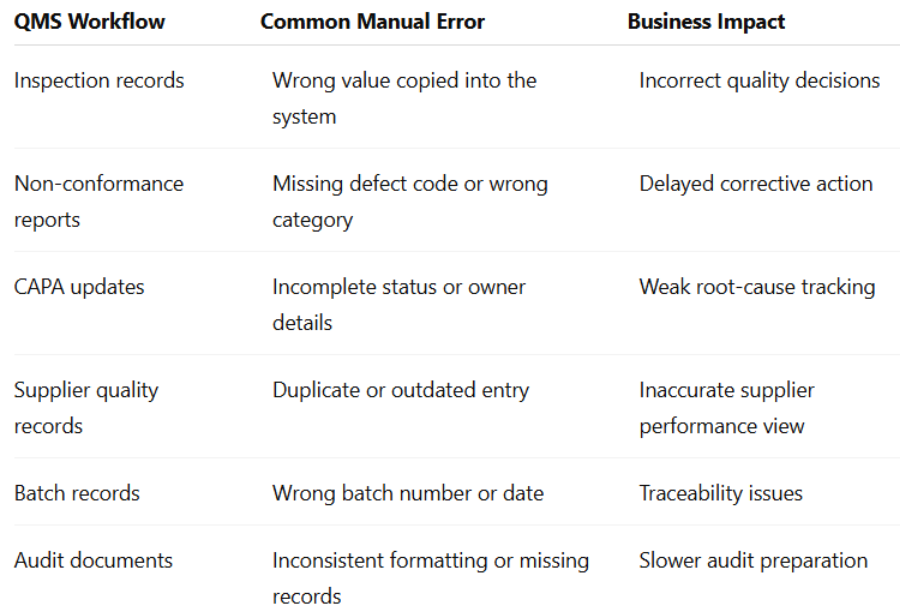
For manufacturers that want to automate quality data entry in manufacturing, these workflows are often the first place to review. They are repetitive, data-heavy, and directly connected to daily quality management work.
Why Manual Quality Data Entry Creates Risk for Manufacturers
Quality teams depend on accurate records. When the data is wrong, their decisions can also be affected. If an inspection result is entered incorrectly, a product may be approved, rejected, delayed, or rechecked based on the wrong information. If a non-conformance report is incomplete, the corrective action process may take longer than needed.
The main risks include:
- Rework caused by incorrect or incomplete quality records
- Duplicate entries across ERP, MES, and QMS platforms
- Delayed approvals because teams need to correct data manually
- Inconsistent quality reports across departments or locations
- Longer audit preparation due to missing or scattered documentation
- Reduced visibility for managers reviewing quality trends
- More time spent fixing records instead of analyzing root causes
RPA for quality control in manufacturing does not remove every operational risk. However, it can reduce repetitive manual mistakes when the workflow is rule-based, properly mapped, and supported by clear validation logic.
How RPA Reduces Data Entry Errors Step by Step
RPA reduces data entry errors in manufacturing by using software bots to complete repetitive digital tasks that employees would otherwise perform manually. These bots follow predefined rules and can work across systems such as ERP, MES, QMS, spreadsheets, email inboxes, and web portals.
Here is how the process usually works:
- Captures data from structured sources
RPA bots can collect information from forms, spreadsheets, emails, databases, or system screens. This reduces the need for employees to manually copy data from one place to another.
- Transfers data between systems
A bot can move inspection results from a spreadsheet into a QMS or update production data from an ERP system into a quality report. This helps reduce copy-paste mistakes.
- Checks required fields
Before submitting a record, the bot can check whether key fields such as batch number, inspection date, product code, defect type, or approval status are complete.
- Validates values and formats
RPA bots can check whether values match predefined rules. For example, they can flag missing decimals, incorrect date formats, out-of-range measurements, or mismatched product IDs.
- Detects duplicate records
Duplicate entries can affect reporting accuracy. RPA can compare new records with existing data and flag possible duplicates before submission.
- Flags exceptions for human review
RPA should also include exception handling, so unusual or incomplete records are sent for human review instead of being processed blindly.
- Creates standardized reports
Bots can generate consistent quality reports using approved templates. This helps reduce formatting issues and manual reporting delays.
For manufacturers looking for RPA Automation Design & Bot Development Services in Canada, the best approach is to start with one high-error workflow, test it properly, and then expand.
Key Manufacturing QMS Tasks That Are Best Suited for RPA
RPA works best when a task is repetitive, rule-based, and data-driven. In QMS workflows, several routine tasks are strong candidates for automation.
These include:
- Inspection data entry from forms or spreadsheets into QMS platforms
- Quality report generation for daily, weekly, or batch-wise reviews
- Non-conformance report creation using standard data fields
- CAPA status updates based on task progress or approval changes
- Supplier quality record updates and scorecard preparation
- Batch record reconciliation between ERP and QMS systems
- ERP data entry automation for quality-related production records
- Audit checklist preparation and document collection
- Email-based quality data extraction and routing
- Calibration record updates and reminder tracking
QMS automation for manufacturers should begin with workflows that have clear rules and measurable business impact. A process with too many exceptions, unclear ownership, or poor input data may need improvement before automation.
How RPA Connects ERP, MES, QMS, Spreadsheets, and Emails
Many manufacturers still work with several systems that are not fully connected. Quality teams often use ERP software, MES platforms, QMS systems, Excel files, email attachments, PDFs, and shared folders. As a result, employees often enter or check the same information more than once.
RPA can help bridge these gaps by moving data between systems and triggering actions based on defined rules. For example, a bot can take inspection results from a spreadsheet, check the values, enter the approved data into a QMS, update a related ERP field, and send a summary email to the quality team.
This is where RPA implementation and integration services in Canada become useful. Proper integration planning helps ensure that bots interact with systems correctly, handle exceptions safely, and support existing manufacturing workflows without forcing a full software replacement.
Benefits of RPA for Canadian Manufacturing Quality Teams
Many companies exploring manufacturing process automation in Canada are not only trying to save time. They also want cleaner data, faster reporting, and fewer manual corrections.
RPA can also help teams keep documentation consistent across departments, shifts, and plant locations. This is especially useful for manufacturers that manage multiple plants, supplier networks, or export-focused operations.
Is Your Manufacturing QMS Ready for RPA?
Before building an RPA bot, manufacturers should first check whether the workflow is stable enough to automate. RPA works best when the process is repeatable, clearly defined, and supported by consistent data formats.
Your QMS may be ready for RPA if:
- Your team enters the same data into multiple systems
- Quality reports are created manually
- Inspection data comes from spreadsheets, forms, or emails
- Errors often delay approvals, reporting, or audits
- Workflows follow clear rules
- Data fields and formats are mostly consistent
- Employees spend too much time correcting records
- Quality teams want better visibility into exceptions and status updates
If these points sound familiar, RPA consulting services in Canada can help assess your workflows, identify automation-ready tasks, and create a practical roadmap before bot development begins.
Practical Implementation Roadmap for RPA in Quality Management
RPA works best when the process is reviewed before the bot is built. A task should not be automated only because it takes time. It should also have clear rules, repeatable steps, and measurable business impact.
Step 1: Map Current Quality Data Workflows
Start by identifying where quality data is created, entered, reviewed, approved, and stored. Include all touchpoints such as ERP, MES, QMS, spreadsheets, emails, and shared folders.
Step 2: Select One High-Impact Pilot Workflow
Choose one workflow with clear business value. Inspection data entry, quality report generation, ERP to QMS updates, or NCR creation can be good starting points.
Step 3: Define Validation Rules and Exception Handling
Define required fields, accepted formats, duplicate checks, measurement limits, approval rules, and escalation paths. This helps the bot know what to process and what to send for human review.
Step 4: Test, Monitor, and Scale
Test the bot with real workflow scenarios before full deployment. Track errors, exceptions, processing time, and user feedback. Once the pilot is stable, the same approach can be extended to other QMS automation for manufacturers.
Common Mistakes to Avoid When Automating QMS Data Entry
RPA can be useful, but weak planning can create new problems instead of solving old ones. Manufacturers should avoid these common mistakes:
- Automating a broken workflow without improving it first
- Not defining validation rules clearly
- Ignoring exception handling
- Selecting a complex process as the first pilot
- Not involving both quality and IT teams
- Skipping user testing before deployment
- Measuring only speed instead of accuracy, consistency, and reporting quality
- Not monitoring bot performance after launch
A responsible RPA strategy should improve the process first, then automate it.
How to Measure ROI from RPA in Manufacturing Quality Management
Manufacturers should track real outcomes, not rely on broad promises. ROI depends on workflow volume, data quality, process complexity, and how well the bot is designed.
RPA for quality control in manufacturing should be evaluated by both operational and quality outcomes. Faster processing is useful, but better data consistency is often the larger long-term benefit.
Why Choose RPA Automation Design & Bot Development Services in Canada?
Canadian manufacturers need automation partners who understand process complexity, data accuracy, system integration, and quality workflow requirements. A good RPA partner should do more than build a bot. They should help identify the right workflow, define business rules, design exception handling, test the automation, and support improvement after deployment.
RPA Automation Design & Bot Development Services in Canada can support:
- Workflow assessment
- RPA strategy and consulting
- Bot design and development
- ERP, MES, and QMS integration
- Data validation logic
- Exception handling
- Testing and deployment
- Monitoring and support
This helps manufacturers automate the right workflows with fewer risks during implementation.
Conclusion
RPA reduces data entry errors in manufacturing by limiting manual copy-paste work, checking quality data, flagging exceptions, and moving information more consistently between systems. For manufacturers using ERP, MES, QMS tools, spreadsheets, and emails, RPA can improve accuracy without requiring a complete system replacement.
RPA works best when the workflow is mapped clearly, the rules are defined, and the bot is tested before it is used at scale. For Canadian manufacturers, the right RPA support can help create cleaner quality records, faster reporting, better audit preparation, and more efficient quality workflows.
Automate Manufacturing Quality Workflows with Theta Technolabs
Theta Technolabs helps businesses design and develop RPA solutions for repetitive, data-heavy workflows. If your manufacturing quality team wants to reduce manual data-entry work, improve QMS accuracy, and connect quality data across ERP, MES, spreadsheets, and reporting systems, our team can help with practical RPA bot development for manufacturers.
To discuss RPA Automation Design & Bot Development Services in Canada, contact Theta Technolabs at sales@thetatechnolabs.com.
FAQs
1. How does RPA reduce data entry errors in manufacturing quality management systems?
RPA reduces manual copy-paste work by moving data between systems based on predefined rules. It can check required fields, validate formats, detect duplicates, and flag exceptions for human review. This helps reduce repetitive manual errors in manufacturing quality management systems.
2. Can RPA work with existing ERP, MES, and QMS platforms?
Yes, RPA can often work with existing ERP, MES, and QMS platforms by interacting with structured data, screens, forms, spreadsheets, and workflows. However, each process should be assessed first to confirm technical feasibility and avoid automation issues.
3. Which QMS tasks should manufacturers automate first?
Manufacturers should start with repetitive and rule-based tasks such as inspection data entry, quality report generation, NCR updates, supplier quality records, batch record reconciliation, and ERP data entry automation. These tasks usually have clear rules and measurable impact.
4. Is RPA suitable for small and mid-sized manufacturers in Canada?
Yes, RPA can be suitable for small and mid-sized manufacturers in Canada when they manage repetitive quality data workflows. It is especially useful when teams enter the same information into multiple systems or spend too much time correcting manual records.
5. Does RPA completely eliminate data-entry errors?
No. RPA can significantly reduce repetitive manual errors, but it does not guarantee complete error elimination. Results depend on process design, data quality, validation rules, exception handling, testing, and continuous monitoring.