Safety and compliance reporting is one of the most time-consuming jobs in any mining operation. Incident logs, inspection sheets and shift records all have to be pulled together into reports that are accurate and filed on time, and for most teams that still happens by hand.
For many Toronto mining firms, this work runs on spreadsheets, shared drives and a lot of manual copying between systems. It gets the job done, but it is slow, it is easy to get wrong, and it pulls skilled safety staff away from the work that actually keeps people safe on site.
This blog looks at how RPA for safety and compliance reporting can take that repetitive, rule-based work off your team's plate. We cover what Toronto mining firms have to report under Ontario's rules, how RPA fits on top of the systems you already use, what a safety report looks like when it is automated from start to finish, and where RPA helps most, while being clear about what your team still needs to own.
What Toronto Mining Firms Must Report Under Ontario Safety Rules
First, it helps to be clear about what firms are on the hook for. Ontario mining operations carry a wide set of safety documentation and reporting duties under the province's mining regulation. That includes risk assessments, hazard and incident records, ventilation and equipment records, and written programs kept current and produced when an inspector asks. The province sets out the scope of these duties in its guidance on risk assessment and management for mines and mining plants.
What matters for reporting is that very few of these are one-time tasks. Many are recurring, tied to fixed reporting deadlines, and open to inspection at any point. A missed submission or an incomplete record is not just an admin slip; it can become a finding during an audit. This is where mining compliance reporting automation helps, because the parts that go wrong most often are the manual ones, like gathering the data, formatting it the same each time, and checking nothing is missing before it goes out. Meeting these obligations, though, always remains the firm's responsibility. Automation supports the process, but the duty to comply sits with the operator.
How RPA Fits Into Your Existing Reporting Setup
RPA stands for robotic process automation, and the name tends to cause confusion, so let me clear it up. There are no physical robots involved here. RPA is software. It uses configured bots that carry out the same on-screen steps a person would, such as logging in, copying figures between systems, filling in a template and saving the result.
The useful part for a mining firm is that RPA works on top of the tools you already use. It does not ask you to rip out your spreadsheets, replace your systems or move to a new platform. A bot can be pointed at the same sources your team uses today and follow the same steps, just faster and with fewer of the manual data entry mistakes that slip in by hand. That means the move to RPA services can be gradual rather than a disruptive overhaul, which is what most busy operations want.
Automating a Safety Report From Start to Finish
The easiest way to see the value is to follow one recurring safety report from start to finish. Done by hand, this means opening several systems, pulling incident and inspection data, checking shift records, pasting it all into a template, checking for gaps and sending it on. It can take hours, and a single missed field can send the whole thing back.
Here is how RPA can handle the same job.
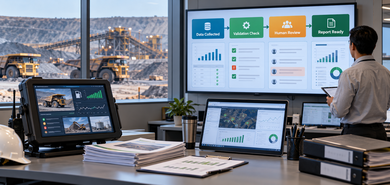
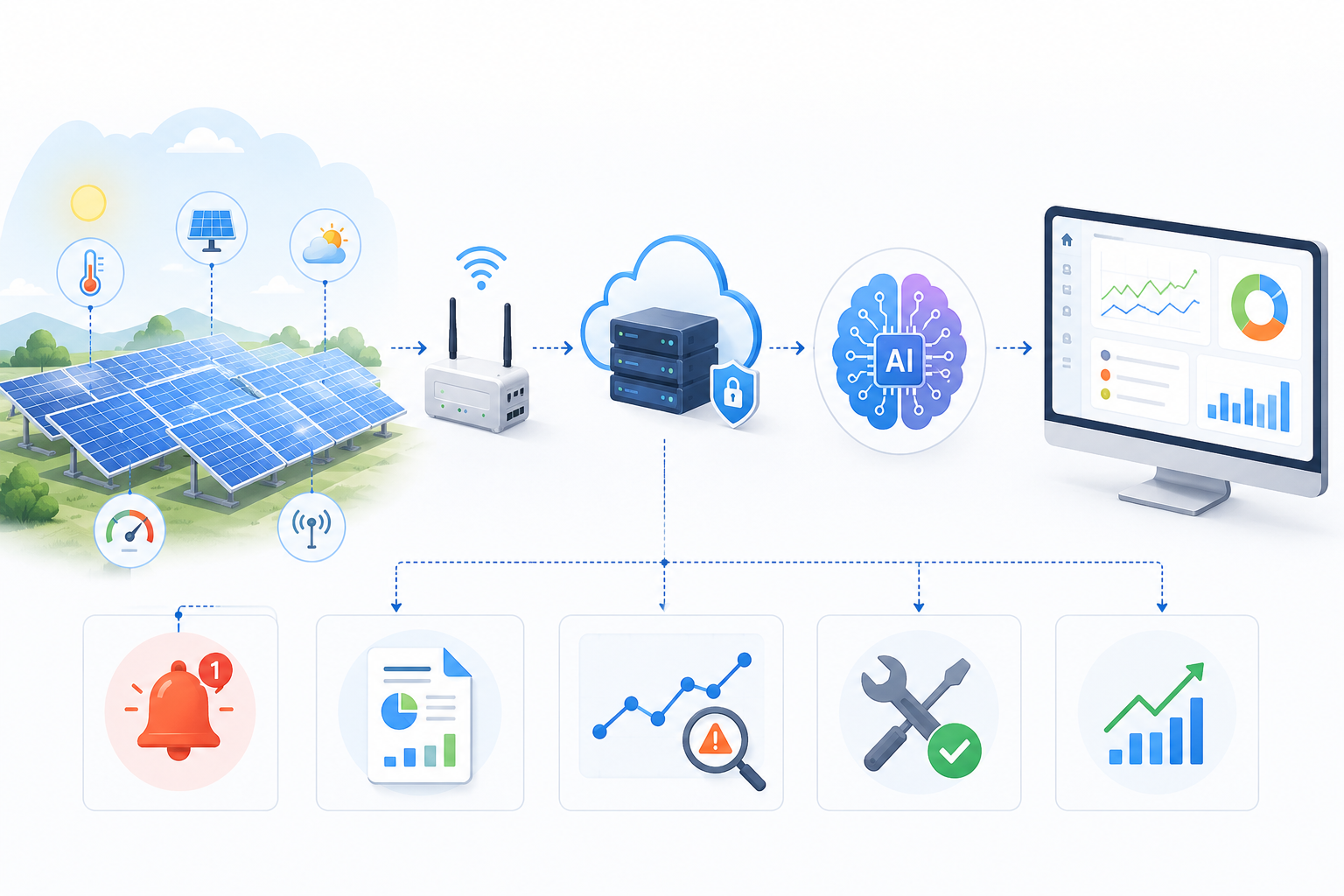
- Gather the data. The bot logs into each source system and pulls the incident, inspection and shift records the report needs, without anyone copying figures across by hand.
- Populate the template. It drops the data into your standard reporting format, laid out the same way every time.
- Validate before submission. It checks for missing or out-of-range fields and flags the problems it is set up to catch, so many are caught before the report goes out rather than after.
- Log every action. It records each step into an audit trail, leaving a time-stamped record of what was reported and when.
That last point matters more than it looks. Much of the stress around reporting is not the report itself, it is proving later that it was done correctly and on time. It is a clear example of how RPA automates compliance reporting for mining firms, and it leaves you readier for the next inspection. The team still owns the report. The bot just removes the tedious, error-prone middle.
Where RPA Helps Most in Mining Compliance Reporting
Beyond a single report, automation across mining operations tends to deliver the most in a few areas that are high in volume and low in variation.
Incident and near-miss reporting
When something happens on site, the details need to be captured, formatted and logged consistently. RPA can compile incident and near-miss records into the required structure, which helps keep reporting consistent even during busy periods.
Recurring and scheduled reports
Reports that go out on a fixed cycle are a natural fit. A bot can prepare them on schedule, which may reduce the chance of a reporting deadline slipping through when the team is stretched.
Data validation before submission
A large share of reporting rework comes from small errors, such as a blank field, a wrong date or a figure out of range. RPA can run these checks automatically before submission, which could cut down on rejected reports and the back-and-forth that follows.
Audit-ready recordkeeping
Because a bot logs what it does, it can maintain a clean, time-stamped audit trail. When an inspector or auditor asks for documentation, having that record ready may make it far quicker to answer.
In each case the wording is deliberate. RPA can support these tasks, but a person still has to own the outcome, which brings us to a point that often gets skipped.
What RPA Handles and What Your Safety Team Still Owns
It would be easy to read all this as the software doing your compliance for you. It does not, and it is only fair to say so plainly.
RPA is good at the repetitive, rule-based work of gathering data, formatting it, running the same checks and keeping a record. What it does not do is exercise judgment. It will not decide whether a hazard has been properly controlled, interpret a grey area in regulatory reporting, or take responsibility for signing off a report. Those remain the job of your safety officer, compliance lead or accountable manager.
So treat it as support, not a replacement. A bot takes the manual load off your team and gives them cleaner, faster reporting to work from, but the professional judgment, the sign-off and the legal duty to comply still sit with people. That frees your safety staff to spend more time on safety and less on chasing data.
Getting Started With RPA Without Replacing Your Systems
This does not have to be a large project. The practical way in is to start small. Pick the one report that eats up the most time or causes the most rework, and automate that first. Because RPA sits on top of your current systems, you can do this with little disruption to how your team already works. Once it runs cleanly and your team trusts the output, it is easier to judge where to extend next. For Toronto mining firms weighing this, a one-process-at-a-time path keeps the effort and cost manageable. If you want to talk through where it could fit, it helps to speak with a team that has done it before.
Conclusion
Safety and compliance reporting will always be part of running a mine, but the manual grind around it does not have to be. The reporting duties are set by Ontario's rules and stay the firm's responsibility. What RPA can change is how that reporting gets done, with less manual copying, fewer errors, reports ready on time and a clean record on request. Handled well, it lets your safety team spend less time assembling paperwork and more time on the work that keeps people safe.
Automate Your Mining Safety Reporting With Theta
Theta Technolabs works with Toronto mining clients to apply RPA to slow, manual safety and compliance reporting, so your team can spend less time on paperwork and more on the job itself. If you would like to see where automation could fit your reporting, reach out at sales@thetatechnolabs.com and we can talk through your setup.
Frequently Asked Questions
Can RPA fully replace our safety officers for compliance reporting?
No. RPA can handle the repetitive compiling, formatting and logging, but your safety officer stays the accountable person for review, sign-off and the compliance obligation itself.
Does RPA work with the systems and spreadsheets we already use?
In most cases, yes. RPA is designed to work on top of your existing applications, so firms can often automate reporting without replacing their current tools.
Is RPA practical for a small or mid-sized mining firm?
It can be. Many firms start with a single high-volume report and expand once the value is clear, which keeps the initial effort and cost manageable.
How does RPA help during an Ontario Ministry of Labour inspection or audit?
RPA can keep a time-stamped record of what it does. When an inspector requests documentation, having that audit trail ready may make it faster to respond.
Does using RPA make our firm compliant with Ontario mining regulations?
No. Automation can support accurate and timely reporting, but meeting the regulation always remains the firm's responsibility. RPA is a tool that helps you get there, not a guarantee of compliance.